Family medical papers
Your family's medical papers, read and kept on your phone.
Photograph a prescription, a lab report or a hospital bill. Parchi reads it on your phone, files it under the family member it belongs to, and gives you a one-page summary for the next doctor visit.
Coming soon to the App Store and Google Play
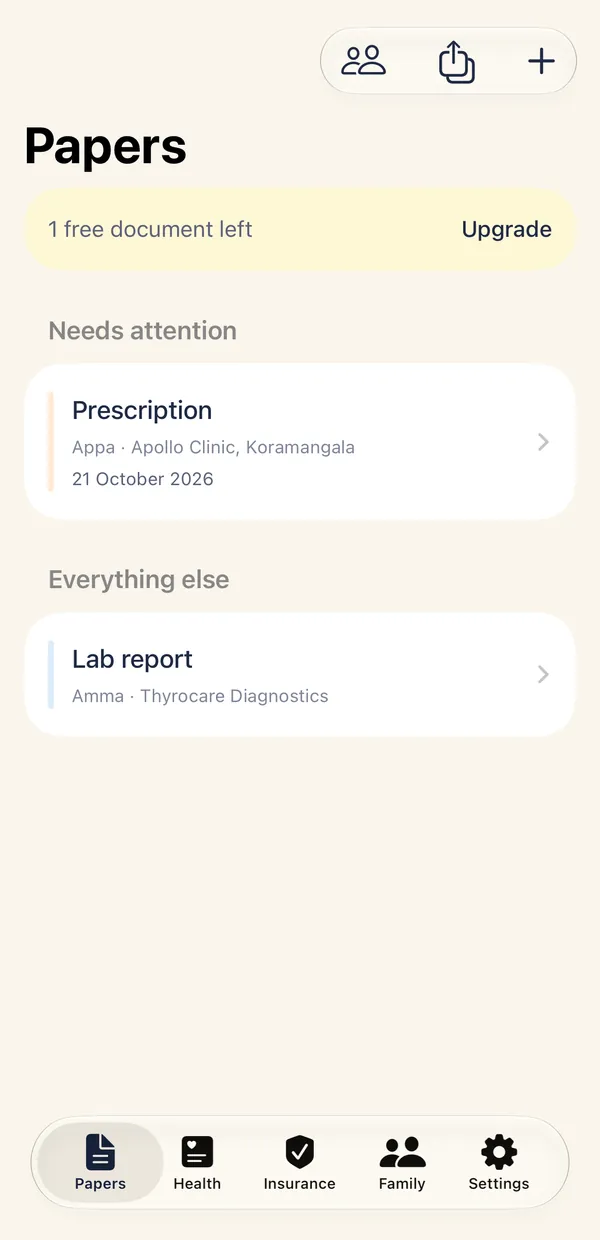
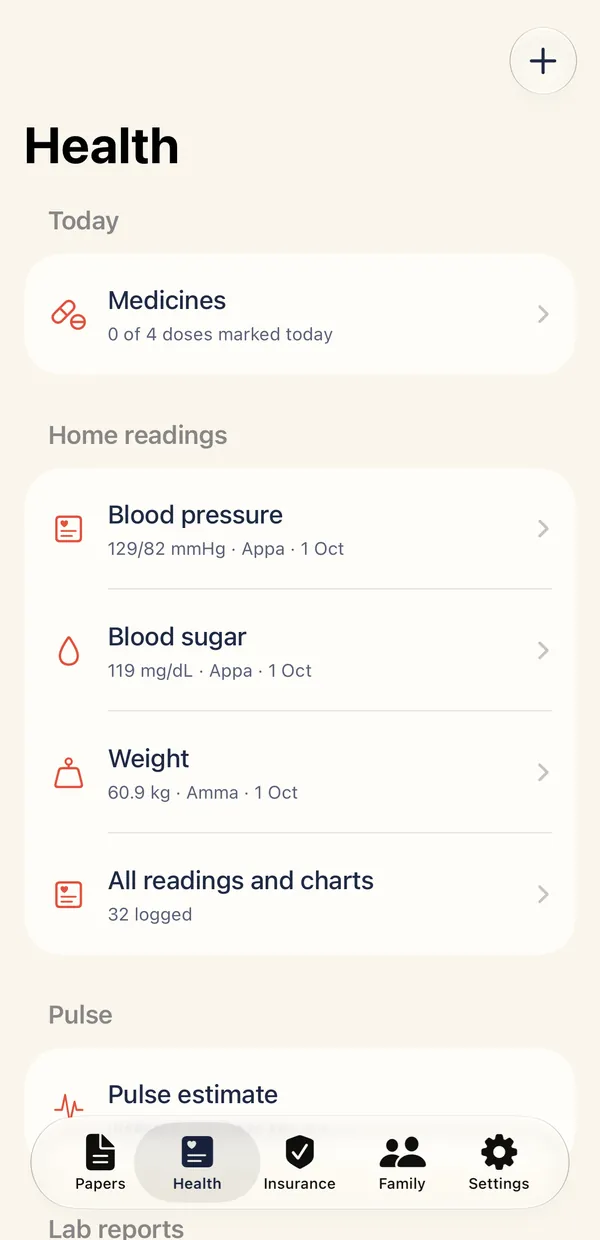
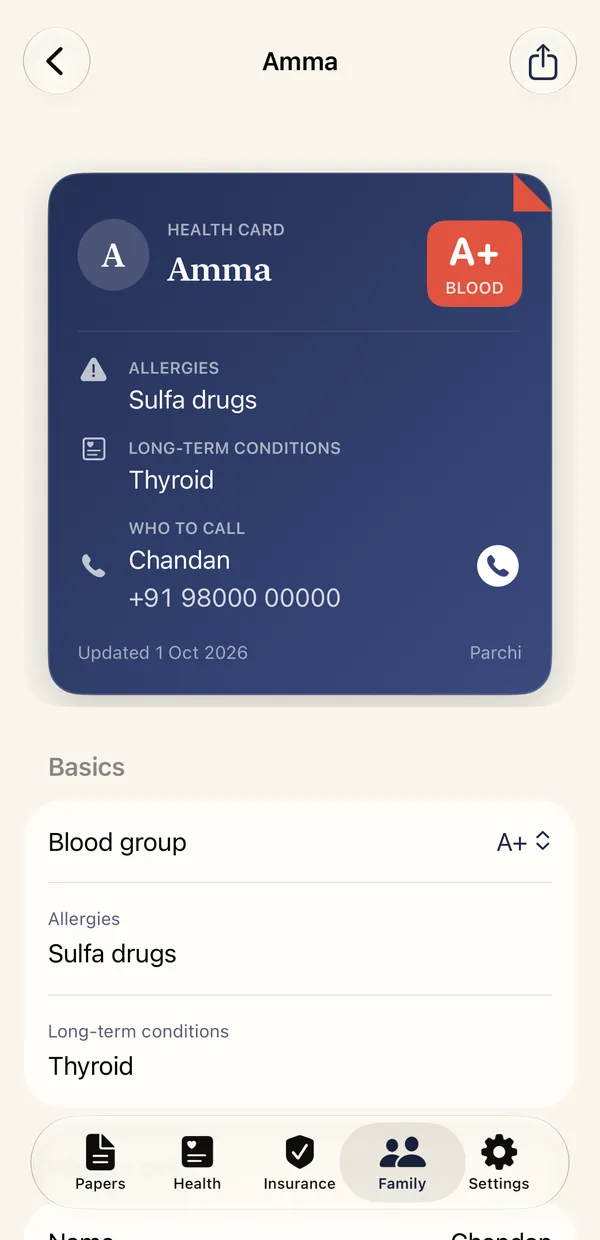
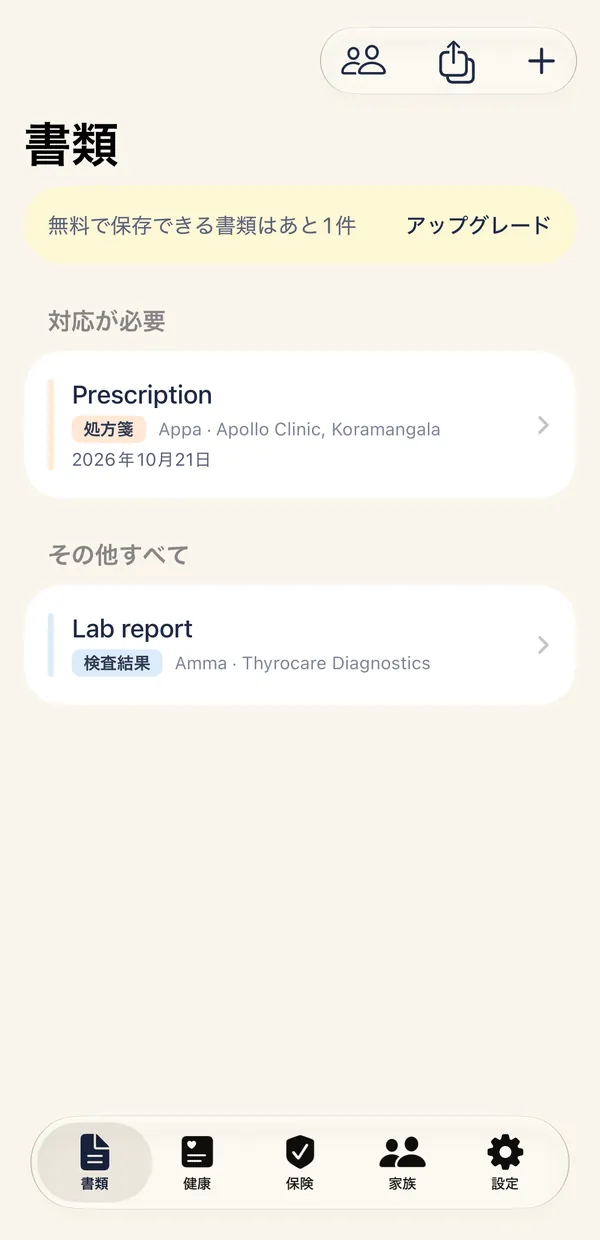
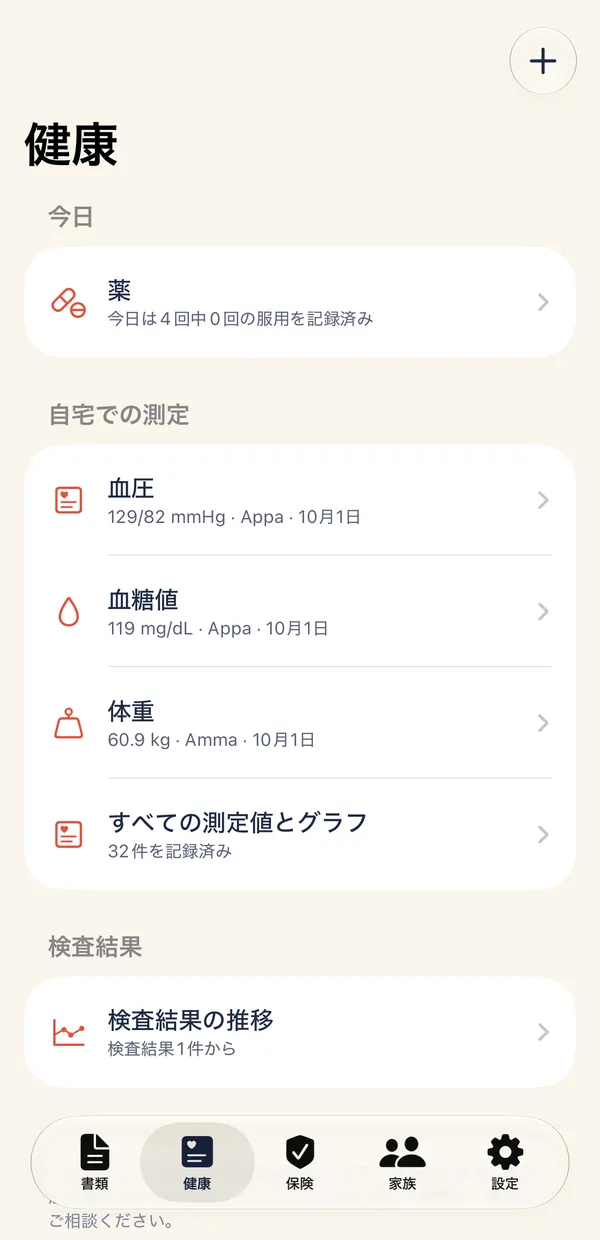
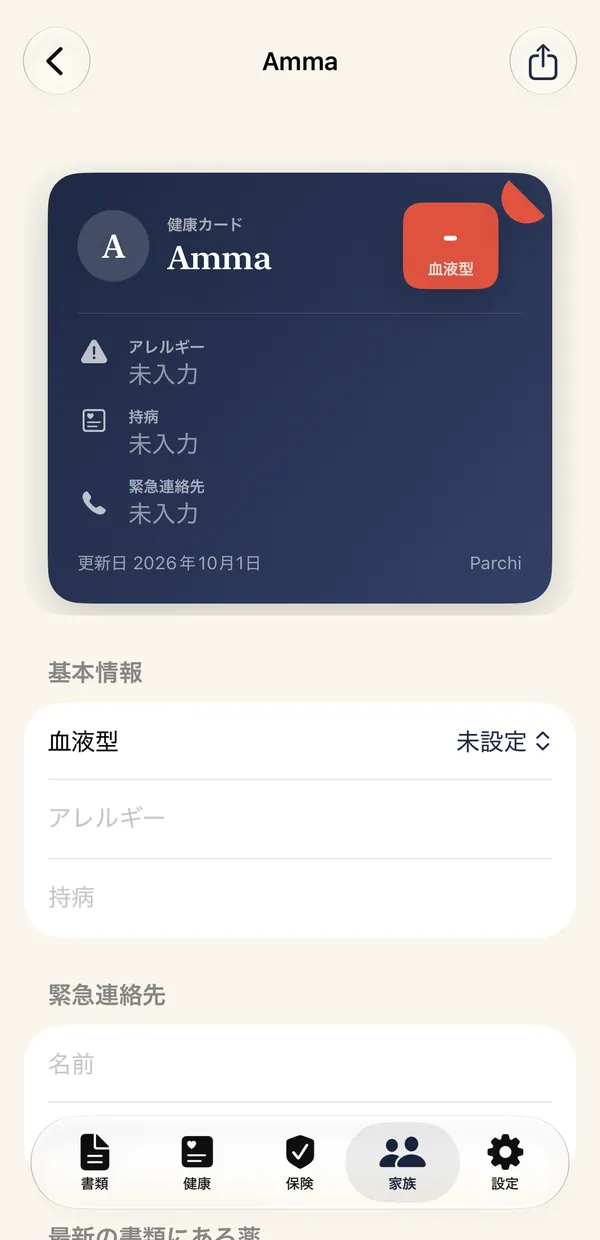
Screens from the iPhone app, with sample data.
On iPhone and Android
Parchi is one app for two kinds of phone. Nearly everything works the same. Where it differs, this is how.
iPhone
- Works on
- iOS 17 or later.
- Reading papers
- Apple Vision reads the text on the phone. Newer iPhones also use Apple's on-device model for extra help.
- App lock
- Face ID or your passcode.
- Backup
- Apple's encrypted backup, or the password-protected export file.
Android
- Works on
- Android 7.0 (API 24) or later.
- Reading papers
- Google ML Kit models inside the app read the text, fully offline, in English and Hindi (Devanagari). Parchi's built-in rules fill in the details. There is no on-device language model.
- App lock
- Fingerprint, face or your screen lock.
- Backup
- The password-protected export file. Android does not back up or transfer Parchi's data by itself.
The same on both: no account and no servers, pulse by camera, widgets, reminders, and English and Japanese.
How it works
Photograph
Take a picture of a prescription, a report or a bill, or choose one from your photos.
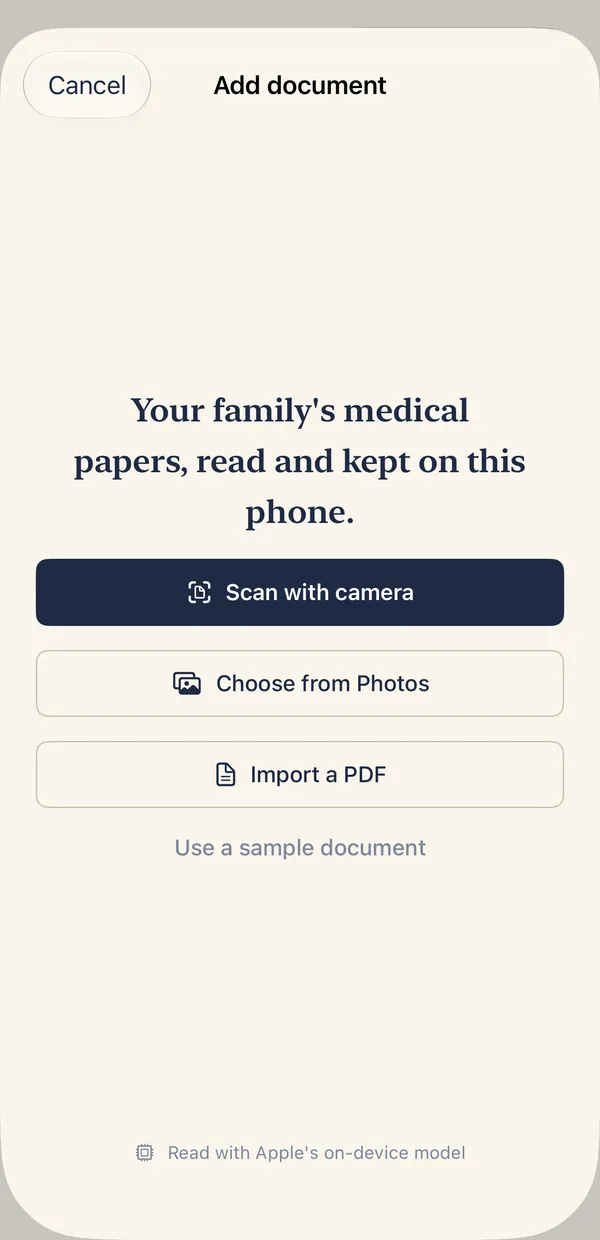
Check
Parchi reads the printed text on your phone and fills in dates, clinic and medicines. You correct anything it got wrong before saving.
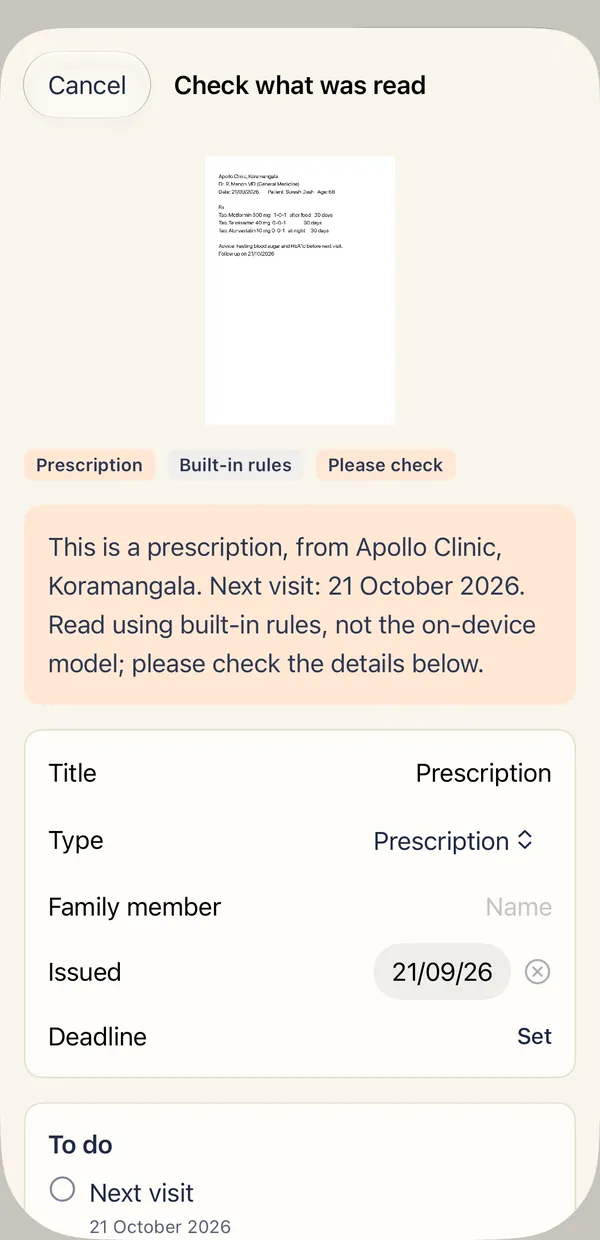
Keep
The paper is filed under the person it belongs to, easy to search, with reminders for medicines and a summary for the doctor.
What you get
Reads printed papers
Dates, clinics, amounts, medicines and test values are pulled out for you to check, next to the original photo.
Medicines and refills
Tick each dose and see how many days are left in each course. Get a reminder before a supply may run out.
Every policy in one place
Health, life, travel and corporate cover with policy numbers, nominees, renewal reminders and the policy papers.
A health card for each person
Blood group, allergies, conditions and who to call, as one page you can show a doctor.
Insurance claim pack
One PDF of the papers for a hospital stay, with a checklist and the date to send it by.
Backup you control
Export everything to a file protected by your own password, and restore it on a new phone. A file made on an iPhone restores on an iPhone, and one made on Android restores on Android.
See every feature · Read the user guide
Five tabs, one job each
Papers
Everything you scanned, searchable, with what needs attention first.
Health
Today's medicines, home readings and lab results over time.
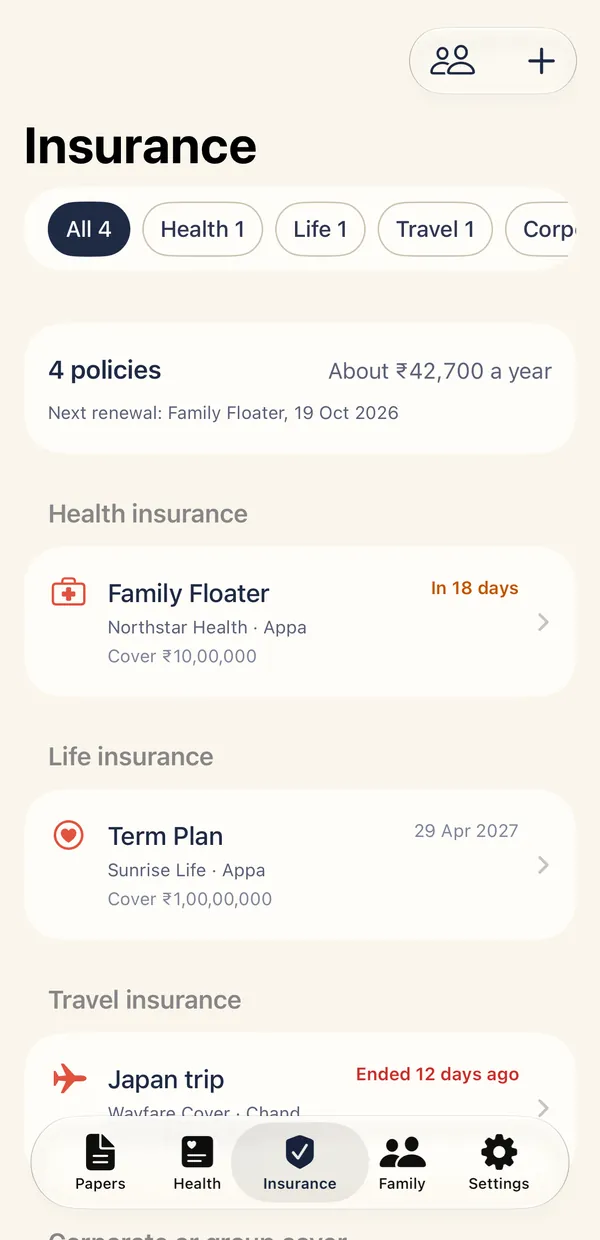
Insurance
Health, life, travel and corporate policies, with renewals and claims.
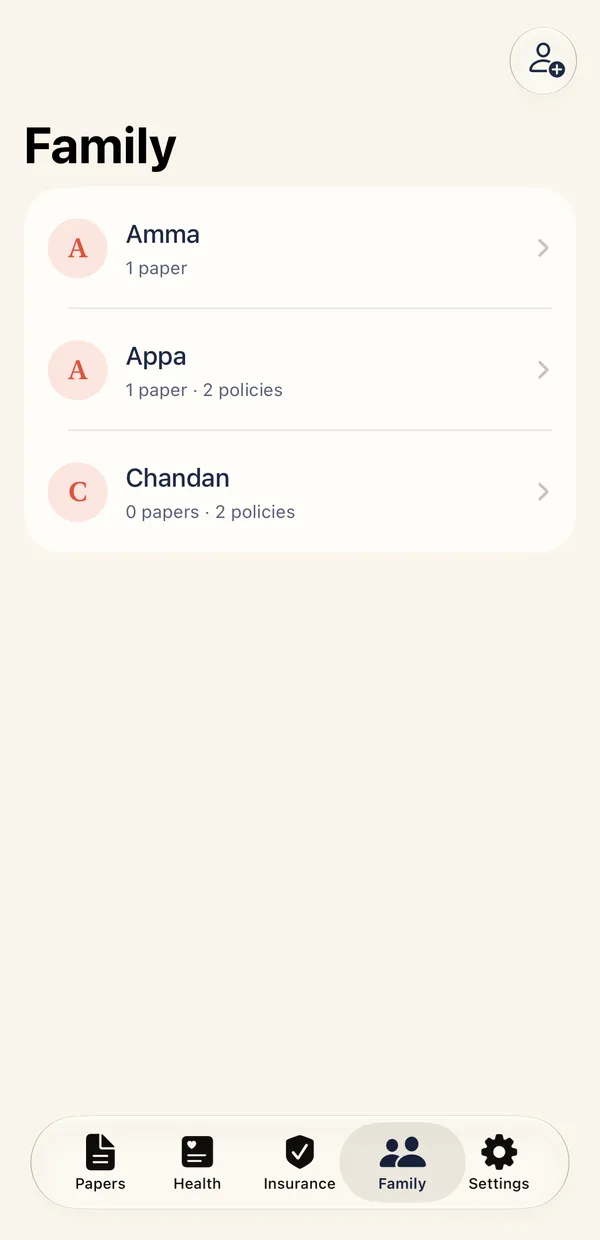
Family
Each person's papers, policies, readings and health card together.
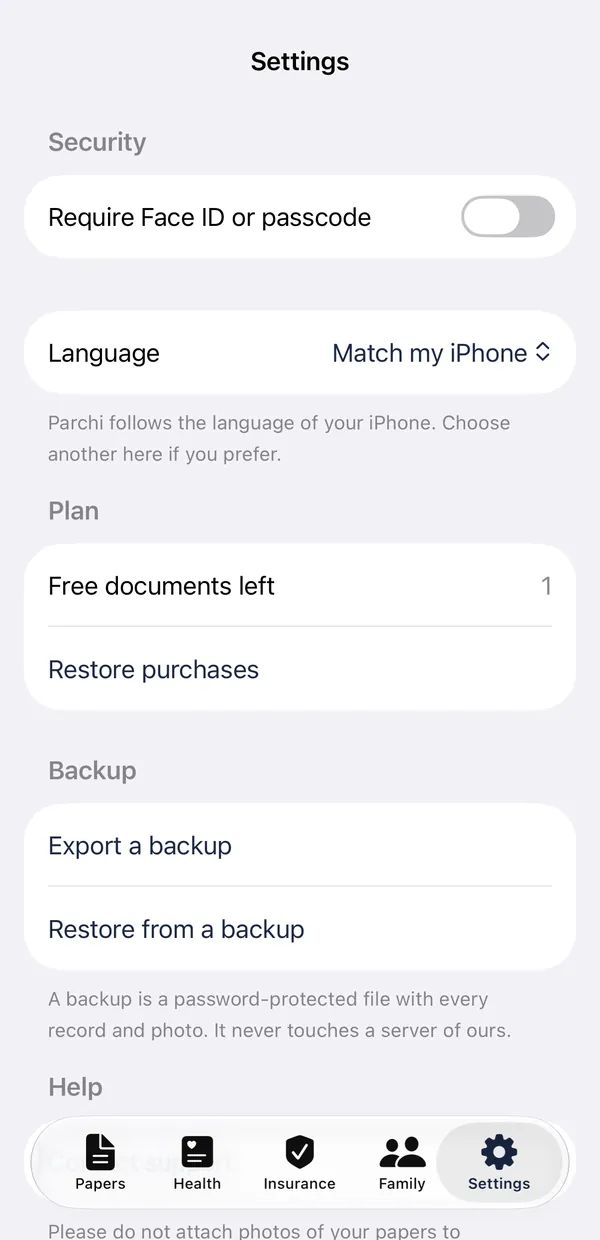
Settings
Lock, backup, reminders and support.
Swipe to see each tab
In English and Japanese
Parchi follows your phone's language, and you can choose English or Japanese in Settings. Every screen, reminder and health card is translated.
Papers are read in printed English today, and on Android in Hindi (Devanagari) as well.
Nothing leaves your phone
- No account to make and no server to sign in to.
- No analytics, no trackers, no advertising.
- Papers are encrypted on your phone, and the app can lock with Face ID, a passcode, a fingerprint or your screen lock.
- Backups are a file you create, with a password only you know.
Parchi describes what a paper says. It does not diagnose or give advice, and a small reading mistake is possible, so check each detail against the original.
Price
Pricing will be announced before launch. Basic medicine reminders stay free, and papers you have kept always stay readable. Purchases go through the App Store on iPhone and Google Play on Android.
Questions
Does it read handwriting?
Poorly. Printed and typed papers read best. Handwritten prescriptions are kept safely and shown beside what was read, so you can check every line.
Does it give medical advice?
No. Parchi describes what a paper says. It does not diagnose, check interactions or suggest doses. Always follow your doctor.
Which phones does it work on?
iPhones running iOS 17 or later, and Android phones running Android 7.0 (API 24) or later. On iPhone, newer models use Apple's on-device model for extra help, and older ones use Parchi's built-in rules. On Android, reading uses Google ML Kit models that are part of the app, and Parchi's built-in rules fill in the details, because Android has no on-device language model. Either way, nothing is sent anywhere.
Can I open a lab report that arrived as a PDF?
Yes. Use Import a PDF inside Parchi, or share the PDF to Parchi from Files, Mail, Gmail or WhatsApp. On iPhone, a password-protected PDF asks for its password. On Android, save a copy without the password first, because Android cannot open a locked PDF here. Nothing is uploaded.
Can it tell me if my reading is normal?
No. It shows what you recorded and the range printed on your lab report, and it leaves the meaning to your doctor.
Which languages does it read?
Printed English on both. On iPhone, Hindi and other Indian scripts are not read yet. On Android, Parchi can also read Hindi (Devanagari) text. The rules that pick out dates and medicines look for English words, so check a Hindi paper line by line. Other Indian scripts are not read yet.
What if I lose my phone?
On iPhone, export a backup file with your password, or use Apple's encrypted backup. On Android, the password-protected export file is the only backup. Without a backup, papers on a lost phone cannot be recovered, because there is no server holding a copy.
How do I back up or move to a new phone?
On iPhone, restore from an encrypted iCloud or computer backup, use Apple's phone-to-phone transfer, or use the export file. Android does not back up or transfer Parchi's data by itself, and this is turned off on purpose, because your papers are locked with a key that stays on the phone. On Android, open Settings, choose Export a backup, pick a password and keep the file safe. On the new phone, choose Restore from a backup. A backup file made on an iPhone cannot be restored on Android, and the reverse, for now.
How do subscriptions work, and how do I cancel?
On iPhone, plans are bought and managed through the App Store. To cancel, open iPhone Settings, tap your name, then Subscriptions. On Android, plans are bought and managed through Google Play. To cancel, open the Google Play app, then Payments and subscriptions, then Subscriptions.